
Instagram Post Size Guide 2026: Feed, Story & Reel Dimensions
The best Instagram post size in 2026 is 1080 × 1440 pixels (3:4) for photos, or 1080 × 1350 (4:5) if you also schedule or boost posts; Stories and Reels are 1080 × 1920 pixels (9:16). Instagram’s profile grid now shows every post as a 3:4 thumbnail, so a 3:4 image fills the feed and the grid without being cropped. Below is every Instagram size in one table, followed by per-format details, safe zones and export settings.
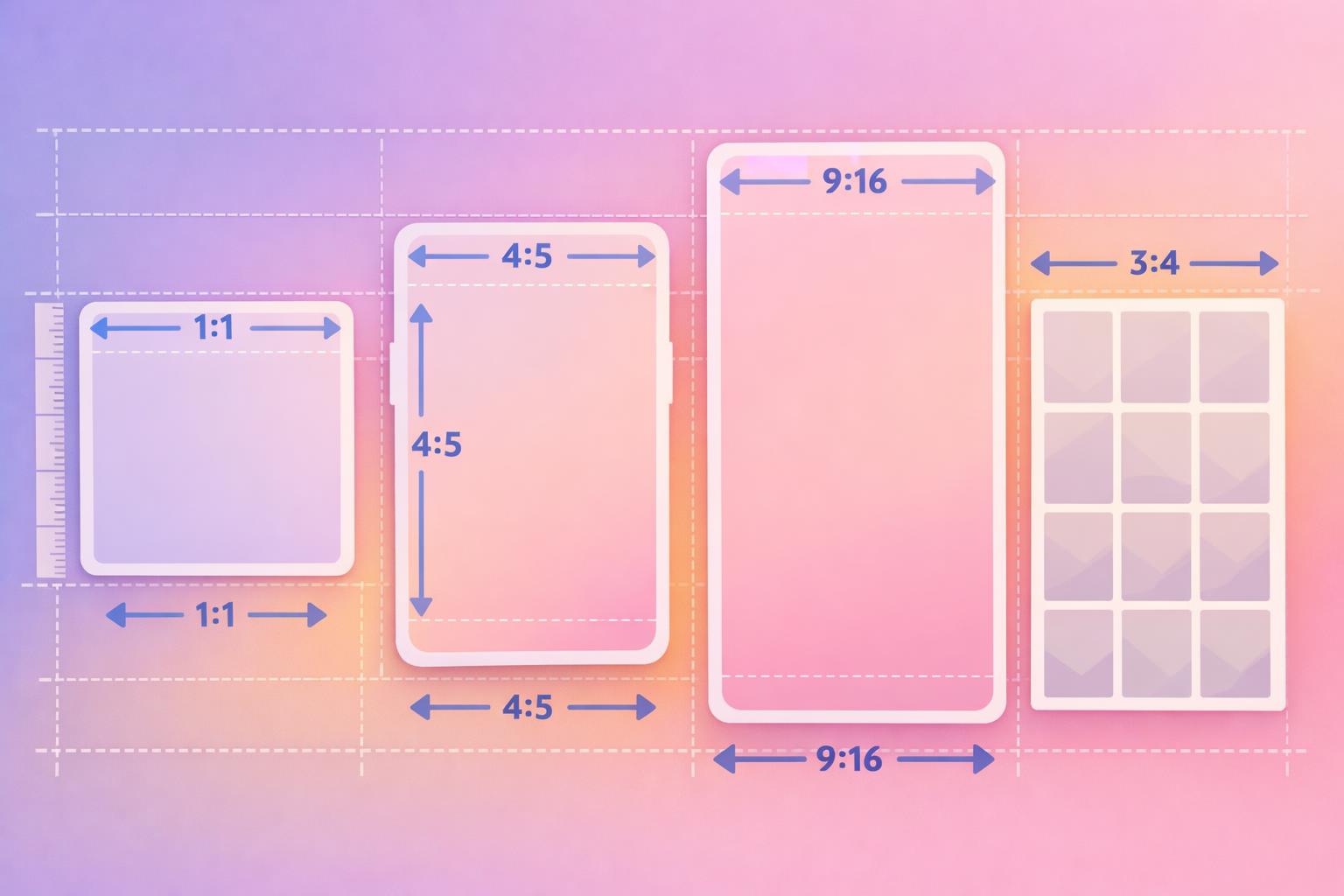
Instagram post size cheat sheet (2026)
Use 1080 pixels as the width for everything. Instagram displays feed content at that width, and uploading at the right aspect ratio matters more than uploading huge files.
| Format | Recommended size (px) | Aspect ratio | Notes |
|---|---|---|---|
| Feed photo – tall portrait | 1080 × 1440 | 3:4 | Fills the feed and the 3:4 profile grid with no crop |
| Feed photo – classic portrait | 1080 × 1350 | 4:5 | Safest for scheduling tools and ads; slight side crop on the grid |
| Feed photo – square | 1080 × 1080 | 1:1 | Sides are cropped on the grid |
| Feed photo – landscape | 1080 × 566 | 1.91:1 | Smallest on screen; heavy crop on the grid |
| Carousel | 1080 × 1440 or 1080 × 1350 | 3:4 or 4:5 | Up to 20 slides; the first slide sets the ratio for all |
| Reels | 1080 × 1920 | 9:16 | Grid thumbnail shows the center 3:4 area |
| Reel cover | 1080 × 1920 | 9:16 | Keep title text inside the central 1080 × 1440 area |
| Stories | 1080 × 1920 | 9:16 | Keep text clear of the top and bottom edges |
| Feed video | 1080 × 1350 or 1080 × 1920 | 4:5 or 9:16 | Videos are shared as Reels |
| Profile grid thumbnail | Displays at 3:4 | 3:4 | You can adjust the preview crop after posting |
| Profile picture | 320 × 320 (minimum) | 1:1 | Shown as a circle; keep your face or logo centered |
What changed: the 3:4 profile grid
In early 2025 Instagram replaced the square profile grid with taller 3:4 rectangles, and Adam Mosseri explained the switch as a way to show the vertical photos and videos most people now post. Later in 2025 Instagram also added native support for 3:4 photos in the feed, which is the shape most phone cameras shoot in.
What that means for your posts:
- 3:4 posts (1080 × 1440) show fully in the feed and in the grid. This is the only photo shape that is never cropped anywhere.
- 4:5 posts (1080 × 1350) are slightly wider than 3:4, so the grid trims a thin strip off the left and right edges.
- Square posts (1080 × 1080) lose more from the sides on the grid, because a square is much wider than a 3:4 frame.
- Old square grid designs such as puzzle feeds and split images built for a 1:1 grid no longer line up. If you design multi-post grids, rebuild them at 3:4.
You can change which part of a post appears in the grid: open the post, tap the three-dot menu, and choose the option to adjust the preview. That helps when a crop cuts off a face or a headline.
Planning a split image or puzzle feed? The free Instagram grid maker slices one image into tiles you can post in order, so the grid comes together as a single picture.
Instagram feed photo size
For single photos, choose between 3:4 and 4:5 based on how you publish:
- Posting from the Instagram app: use 1080 × 1440 (3:4). It takes up the most screen space in the feed and shows uncropped on your grid.
- Scheduling through a third-party tool or running ads: use 1080 × 1350 (4:5). Many scheduling tools publish through Instagram’s API, which has historically accepted ratios from 4:5 to 1.91:1, so a 3:4 image may be cropped or rejected. Check your tool’s current support before you batch-export 3:4 images.
- Square (1080 × 1080) still works for logos, quotes and product shots, but it gives up screen space in the feed.
- Landscape (1080 × 566) is the weakest choice for reach: it looks small in the feed and gets cropped hard on the grid. Crop landscape photos to portrait where you can.
If you shoot food, products or flat lays, our Instagram food photography guide covers framing for tall formats.
Instagram carousel size
Carousels can hold up to 20 photos and videos. The first slide sets the aspect ratio, and every slide after it is cropped to match, so export all slides at the same size before uploading.
- Recommended: 1080 × 1440 (3:4) when posting in-app, or 1080 × 1350 (4:5) for scheduled or boosted carousels.
- Panoramic or “seamless” carousels: design one wide canvas (for example 5 slides × 1080 = 5400 px wide) at your chosen height, then slice it into equal 1080 px-wide pieces.
- Mixed content: if you combine photos and videos, crop the videos to the same ratio as the photos.
For a casual mix of moments, see our guide to the Instagram photo dump.
Instagram Reel size and video dimensions
Reels are full-screen vertical videos: 1080 × 1920 pixels at 9:16. That is also the right Instagram video size for anything you post to the feed, because Instagram now shares feed videos as Reels.
- Dimensions: 1080 × 1920 (9:16). Record vertically on your phone and you will already be close.
- In the feed: Reels can appear cropped to 4:5 in the main feed, so keep the key action in the middle of the frame.
- On your grid: the thumbnail shows the central 3:4 area of the Reel or its cover.
- Length: see how long Instagram Reels can be for current limits.
Horizontal (16:9) video still uploads, but it shows as a small strip with empty space around it. If you only have landscape footage, reframe it to vertical in an editor before posting.
Reel cover size
Make covers at 1080 × 1920, but treat the central 1080 × 1440 area as the “live” zone. That is what shows on your profile grid, so titles and faces placed near the top or bottom will be cut off.
Instagram Story size
Stories are 1080 × 1920 pixels (9:16), the same as Reels. Anything smaller or wider gets a colored or blurred background filling the gaps. Photos from your camera roll can be pinched to fill the screen, but that crops the edges.
If you share a feed post to your Story, it appears as a smaller card; add a background color or image in the 9:16 frame so it doesn’t look empty.
Safe zones for Stories and Reels
Instagram lays its interface over the top and bottom of vertical content: your profile name and progress bar on Stories, and the caption, audio label and action buttons on Reels. Keep text, faces and logos out of these areas. The numbers below are practical guides rather than official specs, since the overlay shifts slightly between devices:
| Format | Keep clear | Why |
|---|---|---|
| Stories (1080 × 1920) | Roughly the top 250 px and bottom 250–340 px | Profile name, progress bar, reply bar and link stickers |
| Reels (1080 × 1920) | Roughly the bottom 20–25% and a strip down the right edge | Caption, username, audio label and like/comment/share buttons |
| Reel cover | Everything outside the central 1080 × 1440 area | The grid thumbnail crops to 3:4 |
A simple rule of thumb: put your most important text in the middle third of the screen, slightly above center.
Profile picture size
Upload a square image of at least 320 × 320 pixels. Instagram shows it as a small circle, so the corners are always cut off. Center your face or logo, leave some breathing room around it, and avoid text that becomes unreadable at small sizes. Your profile photo, name and bio work together, so if you’re updating one, check the others with the free Instagram audit tool.
Export settings for sharp Instagram posts
Blurry uploads usually come from the wrong ratio or heavy compression rather than the wrong resolution. These settings keep things sharp:
- Photos: JPEG (or PNG for graphics with text), sRGB color profile, 1080 px wide at the exact ratio you want. Uploading a larger image at the same ratio is fine; Instagram resizes it.
- Video: MP4 or MOV, H.264 codec, AAC audio, 1080 × 1920 for vertical. Keep the frame rate you shot at (commonly 30 fps) instead of converting it.
- Avoid double compression: export once from your editor and upload that file. Sending a video through a messaging app first often reduces quality.
- Check upload quality settings: in the Instagram app, make sure data-saving options aren’t limiting upload quality, especially on mobile data.
- Text-heavy graphics: use large type. Anything that is hard to read on a phone at arm’s length is too small.
Design tools such as Canva and its alternatives have Instagram presets, but double-check they have been updated for 3:4. Our roundup of Canva alternatives compares options.
Which size should you use? A quick decision guide
- Is it a video? Use 1080 × 1920 (9:16) and keep key content in the center.
- Is it a photo you’ll post from the app? Use 1080 × 1440 (3:4).
- Will a scheduling tool publish it, or will you boost it? Use 1080 × 1350 (4:5). Our list of the best Instagram scheduling tools can help you check which tools support what.
- Is it a Story? Use 1080 × 1920 and respect the top and bottom safe zones.
- Is it part of a grid design? Build it at 3:4 and preview the whole grid before posting.
Getting sizes right is the easy part. If you want help deciding what to post in those frames, InMagic suggests content ideas and captions based on your profile.
Frequently asked questions
What is the best Instagram post size in 2026?
For photos posted from the app, 1080 × 1440 pixels (3:4) is best because it fills the feed and the 3:4 profile grid without cropping. If you publish through a scheduling tool or boost posts, 1080 × 1350 (4:5) is the safer choice.
What size is an Instagram Story?
Instagram Stories are 1080 × 1920 pixels at a 9:16 aspect ratio. Keep text and faces away from the top and bottom edges, where Instagram shows your profile name, progress bar and reply bar.
What are the Instagram video dimensions?
Use 1080 × 1920 pixels (9:16) for Reels and feed videos. Videos are shared as Reels, and the profile grid shows the central 3:4 area as the thumbnail, so keep key action and text near the middle.
Why does Instagram crop my photos on my profile?
The profile grid displays every post as a 3:4 thumbnail. Square and 4:5 images are wider than 3:4, so their sides are trimmed. Post at 1080 × 1440, or adjust the preview crop from the post’s menu after publishing.
What size should Instagram highlight covers be?
Instagram highlight covers work best as 1080 × 1920 pixel (9:16) images with the icon or text centred, because Instagram shows only a small circle cropped from the middle of the image. Keep the design simple and leave space around it so nothing important is cut off. Use the same background and icon style across highlights so your profile looks consistent.
What size should Instagram ads be?
Instagram ads use the same shapes as organic posts: 1080 × 1350 pixels (4:5) is the safe choice for feed ads and boosted posts, and 1080 × 1920 pixels (9:16) suits Story and Reels placements. Keep text and logos away from the top and bottom edges of vertical ads, where Instagram’s interface sits, and check your ad tool’s preview for each placement.
Can I still post square photos on Instagram?
Yes. Square 1080 × 1080 posts still appear in full in the feed. They are cropped at the sides only on your profile grid, and they take up less screen space in the feed than portrait posts.
Get Instagram trends in your inbox
Trending Reels formats and songs, plus practical tips to grow. Free, no spam.